One record per person
Private and business details, every role and every address in a single record – no more double entry and no more duplicates.
Built on Microsoft Dynamics 365 for associations, societies and institutes: people, roles, organisations and committees in one well-designed data model – with salutations and address labels that are generated automatically and follow official protocol.
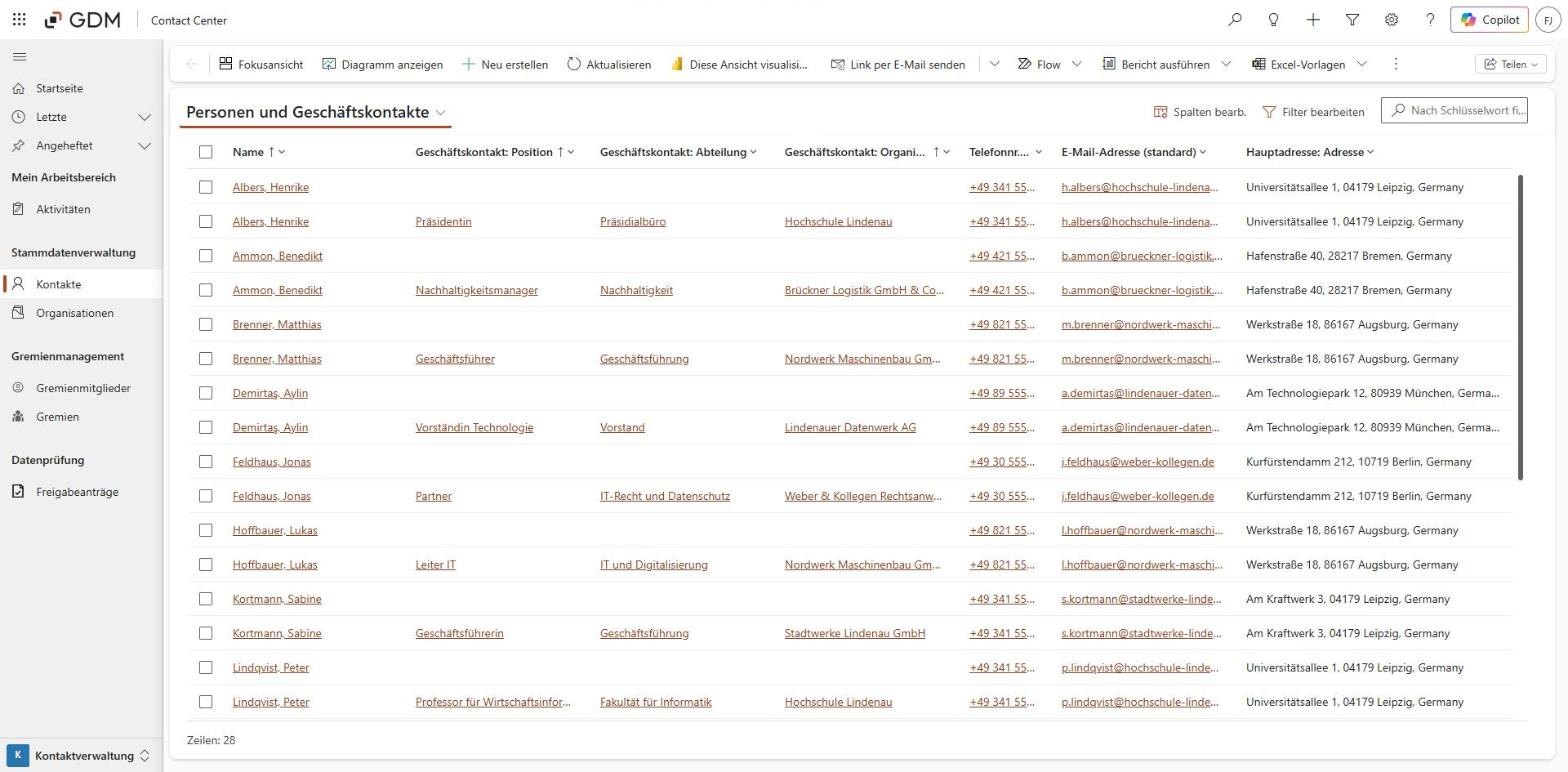
Private and business details, every role and every address in a single record – no more double entry and no more duplicates.
Invitation card, address label, letter salutation and complimentary close are created automatically – even for multiple titles, public offices and diplomats.
Address suggestions, duplicate detection and four-eyes approvals keep your data reliable over time.
Members stay when they feel well looked after. Member Relations helps you communicate proactively and in a structured way, document every interaction and address every person exactly as they should be addressed. Administration turns into genuine dialogue – and members become convinced ambassadors for your organisation.
How do you correctly address a federal minister? What should the address label for a bishop look like? You no longer need to worry. Member Relations generates invitation card, address label, letter salutation and complimentary close in line with the German Federal Ministry of the Interior’s protocol guidelines and the DIN 5008 standard – in several languages and with thousands of ready-made templates for offices, positions and dignitaries.
Herrn Prof. Dr. Max Mustermann
Herrn
Prof. Dr. Max Mustermann
Sehr geehrter Herr Professor Mustermann
Mit freundlichen Grüßen
Frau Bundesministerin Dr. Erika Musterfrau
Bundesministerin der Finanzen
Frau Dr. Erika Musterfrau
Sehr geehrte Frau Bundesministerin
Mit ausgezeichneter Hochachtung
Seine Exzellenz Herrn Botschafter Jean Exemple
Seiner Exzellenz
dem Botschafter der Französischen Republik
Herrn Jean Exemple
Sehr geehrter Herr Botschafter
Mit ausgezeichneter Hochachtung
Seine Exzellenz Herrn Bischof Dr. Johannes Beispiel
Seiner Exzellenz
Herrn Dr. Johannes Beispiel
Bischof von Musterstadt
Sehr geehrter Herr Bischof
Mit vorzüglicher Hochachtung
Dr. Sample
Dr. Sample
Dear Dr. Sample
With kind regards
Examples use fictitious names. Salutation templates can be tailored to your standards for each language and gender.
Name, titles, name additions, language and private contact details are all stored centrally on the person. The default contact decides whether someone is addressed privately or in a specific professional role.
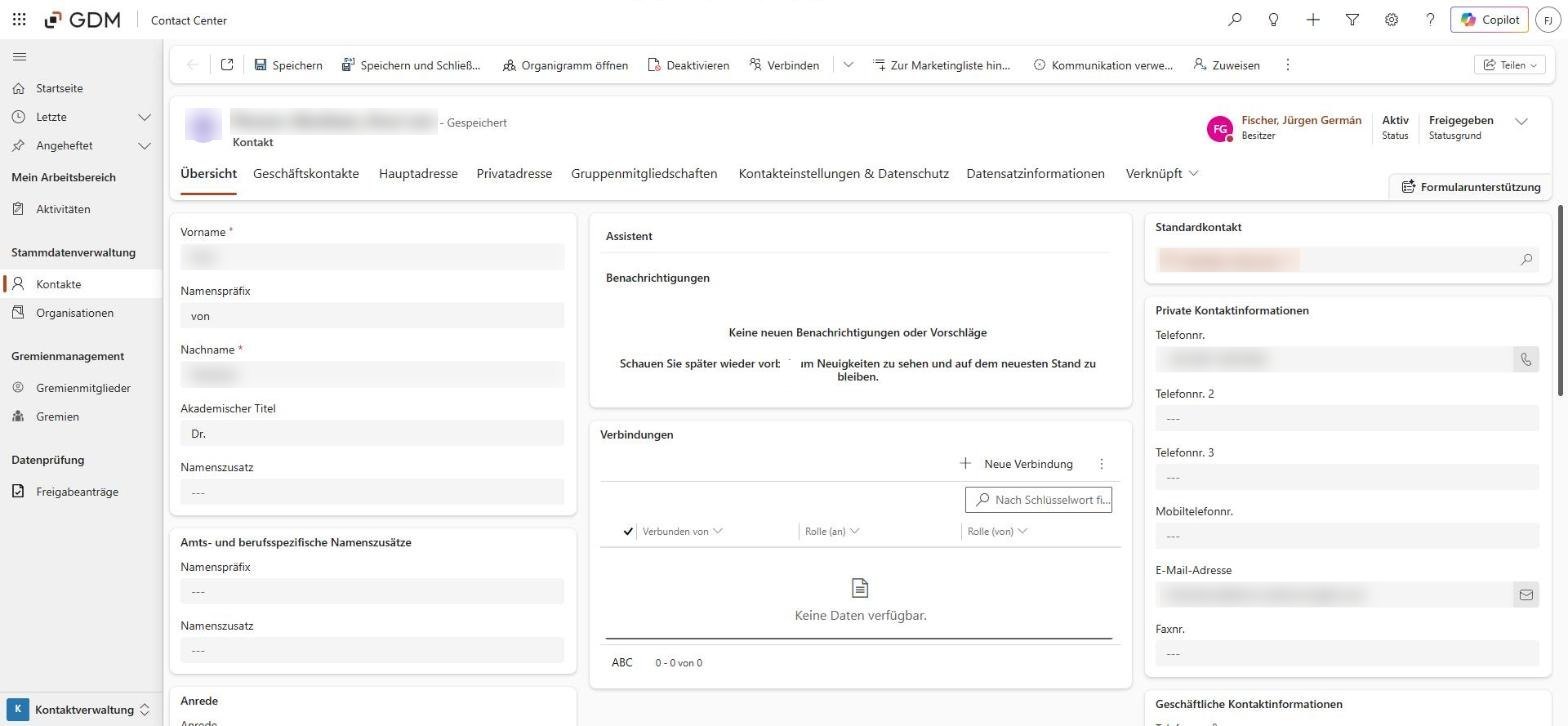
Map committees, working groups and expert panels with their hierarchy. For every member you see the role, the term and the organisation that nominated them – current and former members at a glance.
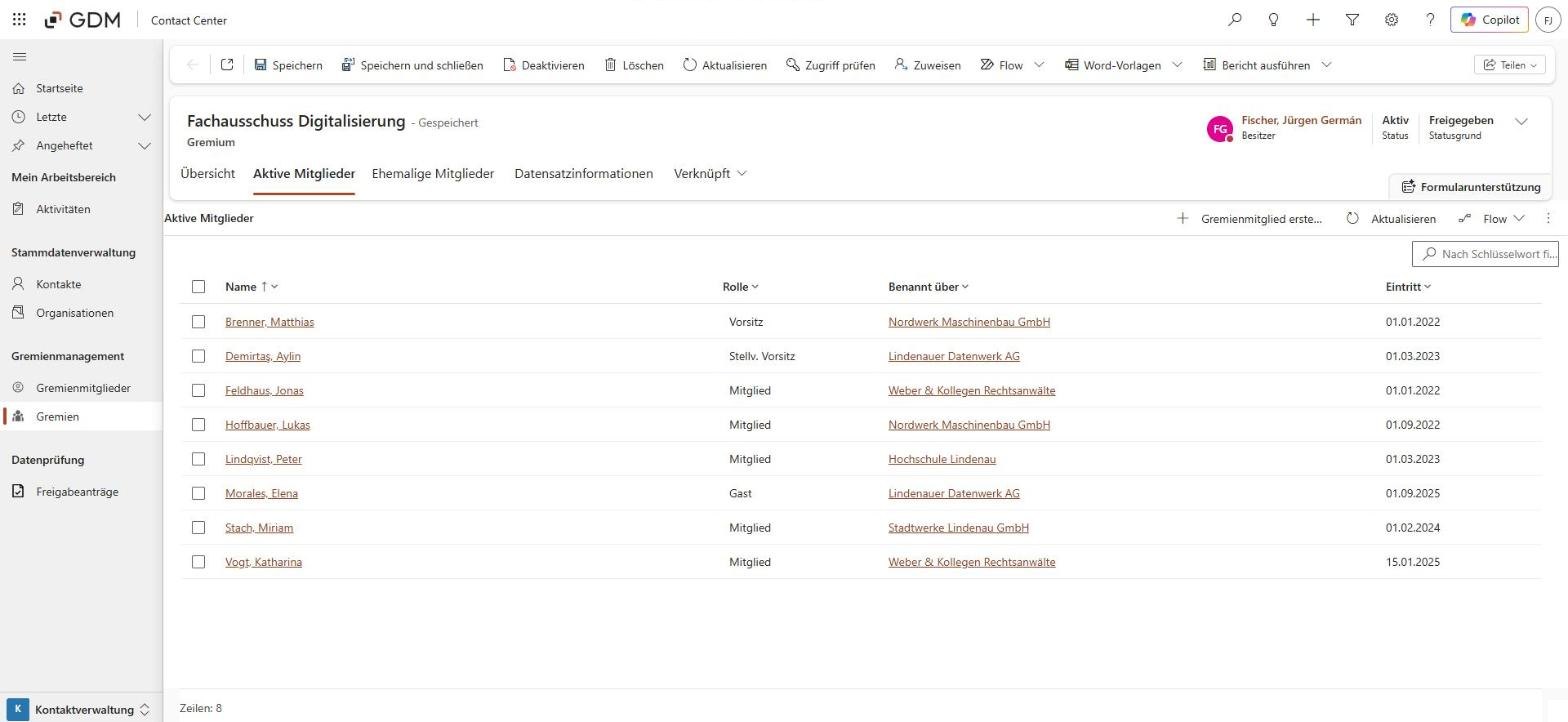
Street, PO box and bulk-recipient addresses are captured in a structured way. The system suggests matching addresses as you type, and the address label is created automatically in the format each country expects.
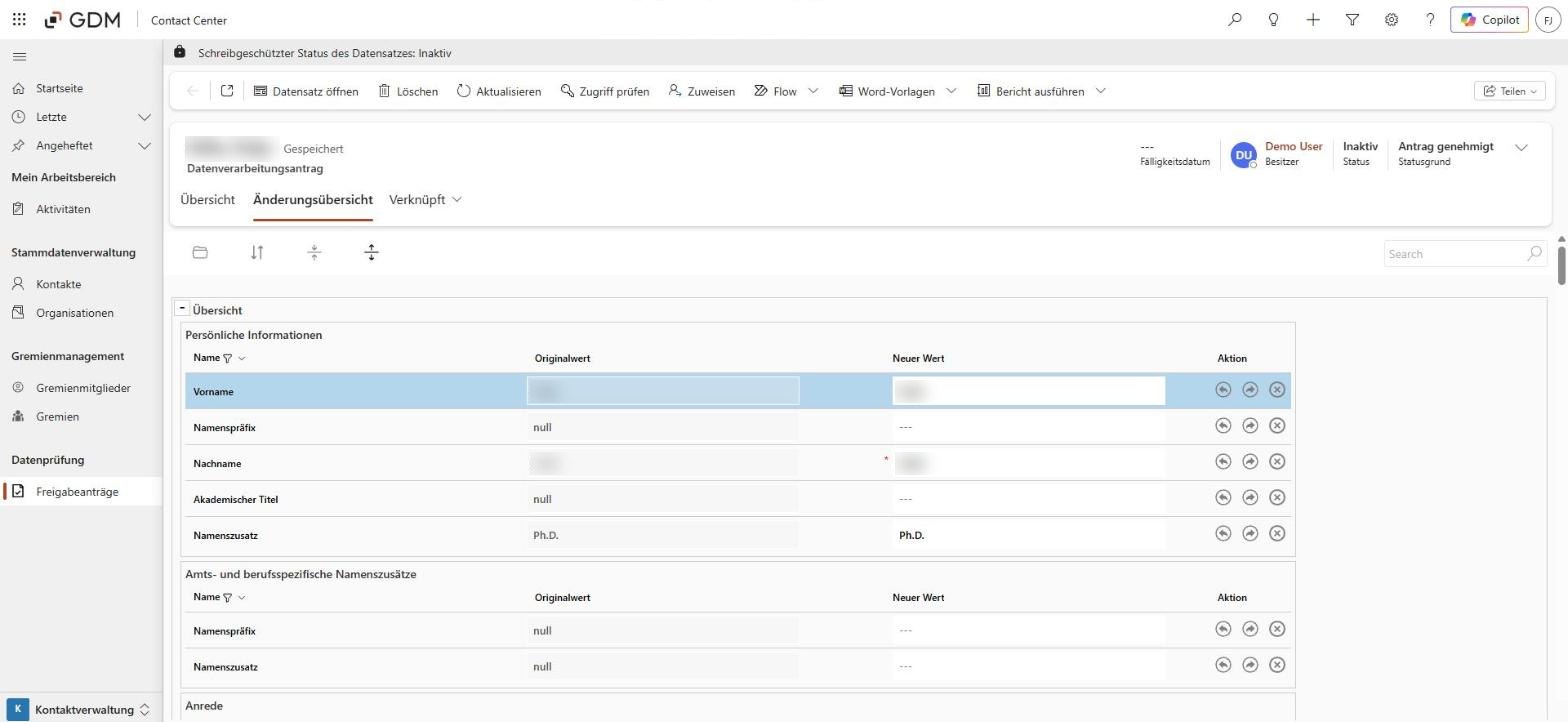
If you wish, new records, changes and deletions don’t take effect immediately but are submitted as requests. A data manager reviews them, approves or rejects them with a reason – and the requester is notified automatically.
Instead of forcing one main contact per organisation, Member Relations separates the person from their roles. Every position is a business contact of its own with its own address and salutation – and organisations can be structured down to departments and positions.
Lots of small automations that save time and prevent mistakes every day.
Multi-level matching with different degrees of fuzziness brings potential duplicates to light.
Relevance search looks through people, organisations and activities at once – with filters wherever you need them.
Change a salutation template and every affected salutation is regenerated automatically.
Branches take on the name of their organisation; orphaned departments and positions are cleaned up.
Age and age group are calculated automatically – with lists for the coming days and milestone birthdays.
Single letters and mail merges in a few clicks from Word; contacts, distribution lists and emails synchronised with Outlook.
In the browser and in the app for iOS and Android – security roles control exactly who can see and change what.
Numbers are shown in international format automatically, e.g. +49 89 123456-99 – ready to dial, including from Teams.
Group memberships for mailing lists and target groups, kept up to date automatically.
Member Relations runs in your own Dynamics 365 environment, so you can combine it with other Microsoft applications at any time – and your whole team works with the same, up-to-date data.
Email campaigns, events and customer journeys with Dynamics 365 Customer Insights.
Capture and track member enquiries in a structured way.
Charts, dashboards and reports – all the way to Power BI.
Your own workflows with Power Automate, collaboration in Microsoft Teams.
Add members of parliament, committees and authorities with Kürschners Politikkontakte.
Need more than the standard – your own processes, interfaces or additional modules? As the developer of Member Relations, we extend the solution specifically for your organisation.
In a short online demo, we’ll show you Member Relations in Dynamics 365 – and how it fits your organisation.